Some cool stuff ahead today… keynote coming up…



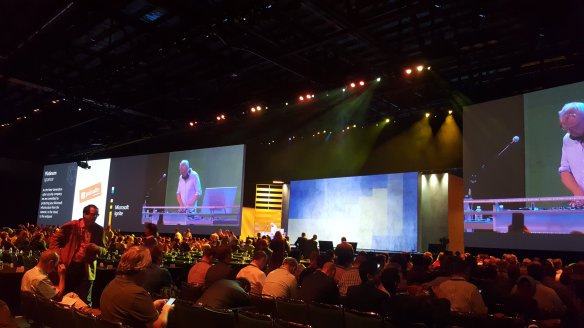

Some cool stuff ahead today… keynote coming up…

“Microsoft has released Seeing AI — a smartphone app that uses computer vision to describe the world for the visually impaired. With the app downloaded, the users can point their phone’s camera at a person and it’ll say who they are and how they’re feeling. They can also point it at a product and it’ll tell them what it is. All of this is done using artificial intelligence that runs locally on their phone”…
https://www.theverge.com/2017/7/12/15958174/microsoft-ai-seeing-app-blind-ios
Topics include Windows 10, Office 365, Office 2016, Power BI, Azure, Windows 8.1, Office 2013, SharePoint 2016, SharePoint 2013, Dynamics CRM, PowerShell, Exchange Server, System Center, Cloud, SQL Server and more…
 You can still get Cortana, even if your carrier has block/not rolled it out, provided you can do the manual updates.
Worth noting that some carriers will intentionally block the update for a while with phones already out there based on your regional settings, this is so they can sell the new ones with it enabled as a selling point. Hence the 630 got it before you could update the 920… but as I mention you can still get it, provided you can upgrade your phone to 8.1 and relatively recent updates, newer the updates the newer the version you will get and the more “languages and accents will be supported”.
Also worth knowing – you might already have it if you are the latest update, it might be that it is just not switched on, default is “off”… On most older phones, including 920, it is still classed as a “Beta” application which replaces the existing speech support built into those devices since 8.0…
Finding it if you already have it: –

 open “Settings”
If blocked or not visible – getting it if you do not have it: –
This varies somewhat depending on your device and update availability… easiest thing to do is change everything to “English (United States)” turn on Cortana and then try adjusting things back to your region one by one… when Cortana stops working change whatever you last changed back to “English (United States)”
The three areas to change are “Region”, “Language” and “Speech”. Then you need to turn it on.
Cortana will only work if “Language” and “Speech” match and Cortana is available for that combination.
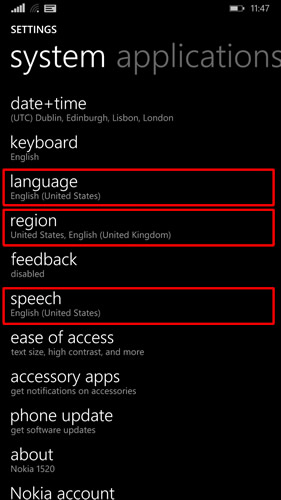

Here I have it working with both English UK and US note that “Language” matches “Speech”
open “Settings”
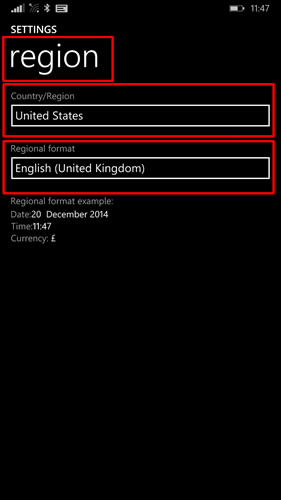 Under the default tab “system” scroll down and go into “Region”.
 Under the default tab “system” scroll down and go into “Language”.
 if on “system” tab, swipe to the side so you are on “applications”
 Note: Depending on your current phone setup, you may need to download, then go back into this and reselect it to get it to install, follow the prompts, reboot as required and then check for any phone updates, which will get the updated speech package which includes cortana.
Once done with all the updates/install of language packs, as above, go into settings, swipe to side to get “applications” tab… and you will see Cortana listed… open it and switch it on. Paul Bunting • Architecture Team Manager and Senior IT Architect